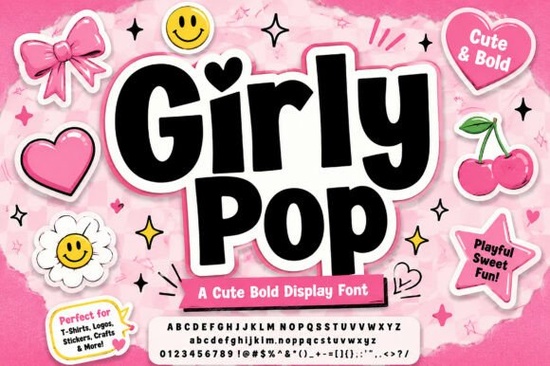
If you want a display typeface that captures early two-thousand aesthetics, Girly Pop Font gives your layouts an instant visual anchor. It skips delicate serifs, focusing on thick, interlocking letterforms that stay highly readable on social posts or custom apparel. Print-on-demand sellers and graphic designers use it daily to add playful energy without sacrificing professional clarity. You can browse available formats and licensing details directly on the Girly Pop Font page before starting your next campaign.
Why do modern layouts need this specific lettering?
Y2K trends rely on bold contrast and soft curves, and this typeface delivers exactly that. The bouncing baseline keeps headlines from feeling rigid, while rounded corners maintain a friendly tone. You get a built-in white outline paired with a pink outer drop shadow, saving time on sticker effects. Drop the letters directly onto a plain background instead of stacking multiple text layers. Crafters making cut files save hours by avoiding extra vector paths.
If you usually prefer elegant styling, browsing the Hello Angela display fonts collection offers a different approach to feminine layouts. Keeping varied choices in your asset folder helps switch project moods quickly.
How well does it perform on apparel and stickers?
Merchandise thrives on typography that grabs attention from a distance. The chunky shapes handle fabric stretching well because they avoid thin strokes that fade after washing. On dark shirts, the crisp white outline separates the pink shadow clearly. For sticker creators, rounded edges prevent tearing during cutting, reducing wasted batches. Sellers often pair this style with simple vector art for cohesive listings. Always check print bleed settings before sending files to your supplier.
Designers across music and pop culture keep the Hunters K-Pop display fonts in rotation to match different audience vibes while maintaining consistent spacing.
What layout tricks improve readability on mobile?
Since letters are wide, manage line spacing carefully. Keep leading tight but avoid overlap, and skip centering long paragraphs. This typeface works best for headlines and short callouts. If placing it over a busy photo, add a solid color box behind it rather than relying only on the shadow. Clean backdrops prevent the outline from blending into textures. Always preview templates on a phone screen first. When testing your mockups, zoom out to thumbnail size. This quick step reveals how the outline performs in small grid layouts.
Seasonal promos benefit from mixing eras. Pair this bold option with Retro Holly display fonts to create layered holiday graphics that feel current. Contrast between sharp retro shapes and bouncy curves stops scrollers from skipping posts.
Which file formats work best for commercial print runs?
Most platforms accept TTF and OTF files, but export steps depend on your destination. When preparing vinyl cut files, convert text to paths early to prevent substitution errors. For raster uploads, export at 300 DPI with a transparent background. Keep a live master file to adjust tracking later. Verify commercial terms before uploading artwork to third-party shops.
Rugged themes need heavier shapes, so check the Vintage Western display fonts when shifting toward streetwear branding. Organizing your library by style speeds up client work.
Distressed layouts sometimes need a grittier edge. The Grinched 2.0 display fonts offer rough textures when your project calls for edgy tones instead of pastels.
Quick checklist before exporting your design
- Test contrast early: Place text over your actual background and check at 50 percent zoom.
- Convert to outlines: Save a separate file with paths outlined to guarantee the shadow stays intact.
- Check tracking: Reduce letter spacing slightly if interlocking letters feel crowded.
- Export in multiple sizes: Keep a 1x web version and a 3x high-quality print file ready.
- Review licensing: Confirm commercial rights before selling on print marketplaces.
Save a few realistic mockups in your portfolio to show how the typeface performs on mugs, shirts, and phone cases. Real-world examples make it much easier to adjust spacing and shadow intensity before final production runs.
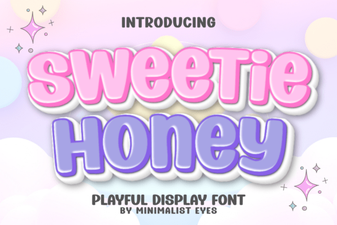 Sweetie Honey Font: Crafting Whimsical Designs
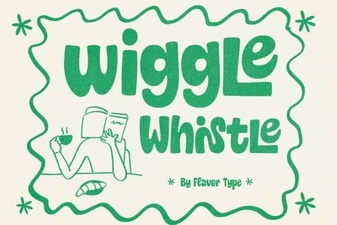 Design a Fun Font with Wiggle Whistle
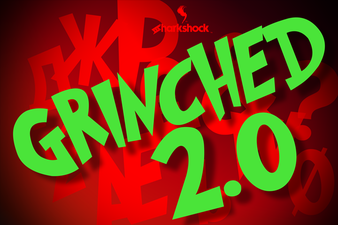 Grinched 2.0 Font: Holiday Design Projects & Ideas
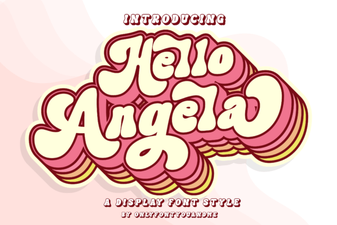 Hello Angela Font for Creative Projects & Web Design
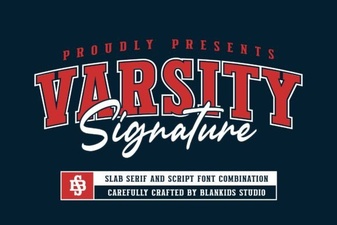 Varsity Signature Font: Design Ideas & Usage Tips
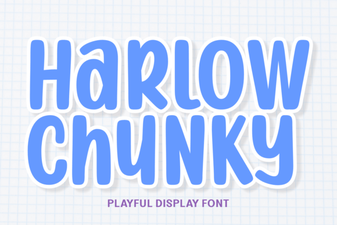 Project Ideas with the Harlow Chunky Font