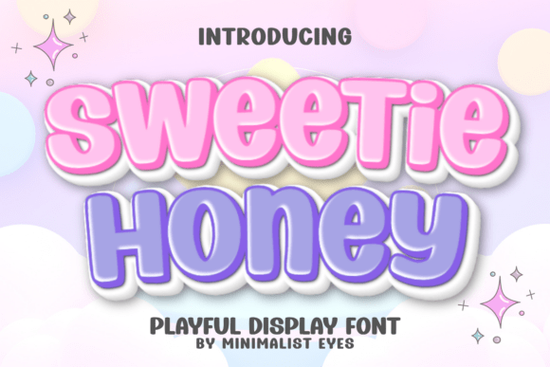
When you are looking for a typeface that adds a gentle, hand-drawn feel to handmade items, the Sweetie Honey Font delivers exactly that without trying too hard. It was built with soft, rounded terminals and consistent spacing, which means it stays readable even when you shrink it for small labels or scale it up for wall art. Crafters, print-on-demand sellers, and small shop owners usually pick it because it skips the overly dramatic flourishes that ruin legibility on cutting mats and standard home printers.
What makes this typeface work for everyday craft projects?
The design leans heavily on balanced curves and open letterforms. That spacing choice matters when you run your designs through a vinyl cutter or send them to a heat press. Tight kerning often leads to torn edges or uneven ink spread, but this display typeface keeps the letters separate enough to cut cleanly. You get a cheerful look that still prints sharply on both matte cardstock and glossy sticker paper. Many designers find it reliable for birthday invites, baby shower labels, and simple product tags because it reads clearly at a glance.
If you want to explore different moods while keeping the same playful energy, you might compare it with other layout options. For instance, the Girly Pop style brings a slightly more polished retail feel, while a bouncy alternative like Wiggle Whistle leans into uneven, hand-sketched motion. Both share the same casual spirit, so testing them side by side helps you match the exact vibe your client expects for DIY stickers or nursery decor.
Where should you actually use playful display lettering?
Display typefaces are not meant for long paragraphs, so knowing where to place them saves time during the design phase. Think about short bursts of text that need to catch attention quickly. Packaging for homemade candles, bakery boxes, wall plaques, and personalized drinkware all benefit from a soft, friendly lettering style. The rounded shapes also pair naturally with simple line art, doodle borders, and pastel color palettes. You do not need heavy drop shadows or complex gradients to make the text stand out on Etsy thumbnails or Shopify product pages.
Small business owners often worry about how these styles translate across different software. The good news is that standard SVG and PNG files scale cleanly on most marketplaces. When you import the files into Cricut Design Space or Silhouette Studio, they load as clean paths that weld smoothly for continuous vinyl cuts. This saves hours of manual tracing and keeps your production workflow steady during peak holiday seasons or market weekends.
How do you mix it with contrasting typefaces?
Using two different lettering styles on one layout works best when you create clear visual weight differences. Pair the bubbly primary text with a straightforward sans serif for subheadings and washing or care instructions. If your project leans rustic, you can try combining it with something like the Vintage Western look for main headers, then let the softer type handle accent words. Winter projects often call for seasonal alternatives, which is why many crafters switch to the Retro Holly option during December campaigns while keeping their regular branding intact.
Another common pairing involves rounded sans serifs or chunky block fonts that match the baseline weight of your main title. If you need extra bounce for children’s items, the Jelly Puff style offers a similar energetic shape that layers well behind simple geometric accents. The key is maintaining consistent spacing between text blocks so the final design does not feel crowded or difficult to read.
Quick tips for cutting machines and digital printing
- Increase letter spacing by five to ten percent before welding shapes for thin vinyl.
- Use single-layer solid fills instead of gradients when printing on standard inkjet paper.
- Test cut a small section on scrap material first to confirm blade depth and mat grip.
- Convert all text to outlines or paths before sending files to third-party print shops.
What should you check before selling physical items?
Commercial crafting comes with clear expectations from marketplace policies and buyer trust. Always review the specific license included with your download to confirm whether physical product sales, digital templates, or both are covered. Keep your original project files organized, and name your folders clearly so you can track which campaigns used which weights. Many sellers also add a subtle watermark to preview images to protect their layout work while still showing the finished product clearly. If you need official details or want to verify usage terms, you can check the Sweetie Honey Font product page directly.
Take a few minutes to clear your workspace before opening the design software. Gather your exact material weight, align your cutting mat, and type out three size variations to check how the curves interact with your clipart. Print one sample on standard paper first to spot awkward margins. Once the spacing looks balanced on screen, switch to your final material and run a small practice cut. This habit prevents wasted supplies and keeps your production schedule on track.
Final Checklist for Your Next Design Run
- Verify your download license covers physical goods and digital templates.
- Adjust tracking and convert text to paths before exporting your final file.
- Print a grayscale proof to check contrast and readability at actual size.
- Run a small material test to confirm blade depth and machine feed speed.
- Back up your layered source files and export a flattened version for safe sharing.
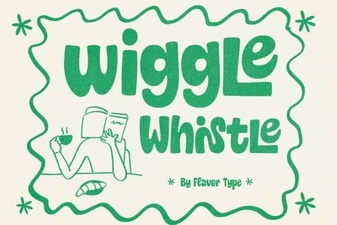 Design a Fun Font with Wiggle Whistle
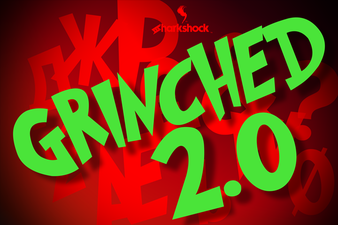 Grinched 2.0 Font: Holiday Design Projects & Ideas
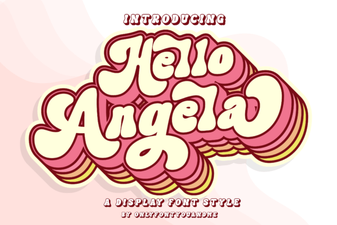 Hello Angela Font for Creative Projects & Web Design
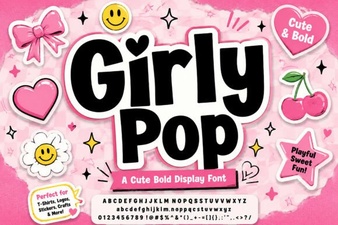 Girly Pop Fonts for Creative Projects and Fun Designs
 Varsity Signature Font: Design Ideas & Usage Tips
 Project Ideas with the Harlow Chunky Font